Pages

Posts tonen met het label Display. Alle posts tonen

vrijdag 23 december 2011

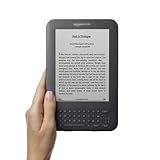
Kindle Keyboard 3G, Free 3G + Wi-Fi, 6" E Ink Display

CHECK BEST DEALS COMPARE PRICES & SPECIAL DISCOUNT ABOUT Kindle Keyboard 3G, Free 3G + Wi-Fi, 6" E Ink Display
Fire Screens CHEAPEST ON LINE DEALS...


Kindle Keyboard 3G, Free 3G + Wi-Fi, 6

IMAGE OF Kindle Keyboard 3G, Free 3G + Wi-Fi, 6
Kindle Keyboard 3G, Free 3G + Wi-Fi, 6


CHECK NOW for LOWEST PRICES TODAY!!!
Kindle Keyboard 3G, Free 3G + Wi-Fi, 6" E Ink Display
Fire Screens for BEST SHOPPING PRICES & REVIEW FOR DEALS !!!...


The all-new Kindle has a new electronic-ink screen with 50 percent better contrast than any other e-reader, a new sleek design with a 21 percent smaller body while still keeping the same 6-inch-size reading area, and a 15 percent lighter weight at just 8.7 ounces. The new Kindle also offers 20 percent faster page turns, up to one month of battery life, double the storage to 3,500 books, built-in Wi-Fi, a graphite color option and more—all for only 9, and still with free 3G wireless—no monthly bills or annual contracts..../ Kindle Keyboard 3G, Free 3G + Wi-Fi, 6" E Ink Display / Fire Screens...Read more

************************************

Accessory for..
Kindle Keyboard 3G, Free 3G + Wi-Fi, 6" E Ink Display
Fire Screens
best deals price products


CHECK LOWEST PRICES Kindle Keyboard 3G, Free 3G + Wi-Fi, 6" E Ink Display
Fire Screens for BEST DEALS PRICES & REVIEW : !!!...


Product Brand :
Amazon
IMAGE OF Kindle Keyboard 3G, Free 3G + Wi-Fi, 6

Kindle Keyboard 3G, Free 3G + Wi-Fi, 6
Product Rating :
Popular Rating :
Reviews Rating :
Customer Rating :

Available : In Stock
Kindle Keyboard 3G, Free 3G + Wi-Fi, 6

See All Of Product Brand : Amazon
Kindle Keyboard 3G, Free 3G + Wi-Fi, 6

Kindle Keyboard 3G, Free 3G + Wi-Fi, 6" E Ink Display
Fire Screens
Customers Who Bought This Item Also Bought......


Kindle Keyboard 3G, Free 3G + Wi-Fi, 6

Kindle Keyboard 3G, Free 3G + Wi-Fi, 6" E Ink Display
Fire Screens for BEST DEALS PRICES & REVIEW : !!!


Kindle Keyboard 3G, Free 3G + Wi-Fi, 6" E Ink Display
Fire Screens

Special for Buy cheapest sale


Customer Review :

Kindle vs. Nook (updated November 2011) : Kindle Keyboard 3G, Free 3G + Wi-Fi, 6" E Ink Display


I woke up to a nice surprise this morning: a new kindle as a gift. I have an iPad and a Kindle DX, but I guess someone heard my complaints of them being too heavy and difficult to do extended-reading on. Don't get me wrong, I absolutely love my iPad and DX, but this new generation of Kindle is perfect for reading outside and for long periods of time. The iPad gets completely washed out in sunlight and often irritates my eyes staring at it for more than a couple of hours. The DX was my go-to device for those extended/outdoor reading periods, but now I have a new friend for reading novels. Instead of a replacement, this one seems more like a companion to the other devices and is a different class. The iPad works great for web browsing, shopping, productivity, games, etc while the Kindle falls short in those areas. The Kindle works great for reading novels, where the iPad falls short. For those that love to do extended-reading of magazines, newspapers, research articles, etc, I find that the DX is the go-to device.

Without a doubt, the size and weight of the new kindle is the biggest draw for me. It's smaller than the last edition by a significant margin. I've played around with the Kindle 2 and was impressed, but now looking at the size of the new Kindle, I'm blown away. It's the absolute perfect size. Smaller would be unmanageable and larger wouldn't feel nearly as good. This is a device that you can hold up, read, and just forget that it's there. Compared to other e-readers I've tried, it's much smaller and much lighter.

One of my biggest complaints about the previous generation Kindles and the DX is the speed. It sometimes takes a while after you push `next page' for it to actually change. In addition, the web browsing feature was so slow and clunky that it is really unusable in my opinion. Two additions to the new Kindle have helped attenuate these issues. First, the pages do flip quicker (albeit, still slow in my opinion), and the addition of wifi has allowed faster connection for wireless activities (much better than only relying on 3G). I still can't see myself using the Kindle as an internet browsing tool or really doing much online aside from purchasing reading material, but the faster connection at least opens up the possibility - something that would only frustrate me on previous editions.

The new Kindle also offers a better contrast than previous editions and it looks fantastic compared to every other e-reader I have seen. I have no trouble seeing the screen in dim light or in bright sunlight - it really opens up the ability to read almost anywhere you are. Of course, you'll still need a separate light for extremely dark areas.

Another big addition to the Kindle 3 is that it offers double the storage compared to Kindle 2. I've never had a problem with the amount of storage since I can't possibly see myself filling up that much space (I don't put mp3's on it), but perhaps in the future, if certain applications or media files are put on the kindle, it could have been a problem. The additional space in the new model is definitely a welcome addition, but bringing back the memory card slot that was included on Kindle 1 would have been an even more welcome addition in my opinion.

Among e-readers, I definitely recommend the Kindle 3 if not just because it has a better size/form-factor, contrast, battery life, and speed compared to every other e-reader I have tried. On top of that, you get the wonderful amazon buying experience and selection for all your literature and can keep your kindle library intact between whatever other device you want to download a Kindle application onto.

The question of whether you need a Kindle vs another type of device for reading becomes a little more tricky and really comes down to what you want to use it for.

Do you want a device to read novels on, perhaps read outside, and have something very light that you almost forget it's there? Buy the Kindle.

Do you want something to lie in bed with for short periods of time while surfing the web? I might suggest going with the iPad, a different tablet, or a netbook.

Do you already have a Kindle 1 or 2? That's a tough one.... I don't think the new edition has enough `new' to it to warrant the upgrade in my mind, but some might value the new size and wifi capabilities even more-so than I do. For me, the new Kindle was a welcome addition to my family of devices since I didn't have anything anywhere near its form factor and convenience.

Should you get 3G + Wifi or just Wifi? I think this question can be answered simply by asking yourself if you travel a lot. Being able to buy books and access wireless content on the road is an indispensable option and well worth the extra money in my mind. Keeping the device mainly at home or near wifi hotspots really negates the need for 3G though.

Overall, I have to give the Kindle a 5 star rating because it does what it was designed to do very well, and in my opinion better than any of the competition. While the new features and capabilities aren't game-changing and truly outstanding, it is smaller, more capable, and better than any other e-reader out there. If you want `one device to handle it all', this isn't the place to look, but If you want a fantastic device solely for reading books, this is what you want.


bestbuyfirescreens4yourhomegarden.blogspot.com is a participant in the Amazon Services LLC Associates Program, an affiliate advertising program designed to provide a means for sites to earn advertising fees by advertising and linking to Amazon.com CERTAIN CONTENT THAT APPEARS ON THIS SITE COMES FROM AMAZON SERVICES LLC. THIS CONTENT IS PROVIDED ‘AS IS’ AND IS SUBJECT TO CHANGE OR REMOVAL AT ANY TIME.
Buy-Factory Direct Outlets-Best Shop

donderdag 22 december 2011

Kindle Keyboard, Wi-Fi, 6" E Ink Display

Kindle Keyboard, Wi-Fi, 6

IMAGE OF Kindle Keyboard, Wi-Fi, 6
Kindle Keyboard, Wi-Fi, 6


CHECK NOW for LOWEST PRICES TODAY!!!
Kindle Keyboard, Wi-Fi, 6" E Ink Display
Fire Screens for CHECK NOW!! CHEAPEST ONLINE BLACK FRIDAY DEALS 2011 !!!...


The all-new Kindle has a new electronic-ink screen with 50 percent better contrast than any other e-reader, a new sleek design with a 21 percent smaller body while still keeping the same 6-inch-size reading area, and a 17 percent lighter weight at just 8.5 ounces. The new Kindle also offers 20 percent faster page turns, up to one month of battery life, double the storage to 3,500 books, built-in Wi-Fi, a graphite color option and more—all for only 9..../ Kindle Keyboard, Wi-Fi, 6" E Ink Display / Fire Screens...Read more

************************************

BEST DISCOUNT Kindle Keyboard, Wi-Fi, 6" E Ink Display
Fire Screens for ALL BUY BEST BLACK FRIDAY 2011 SALES...


Product Brand :
Amazon | Model : D01101

IMAGE OF Kindle Keyboard, Wi-Fi, 6

Kindle Keyboard, Wi-Fi, 6
Product Rating :
Popular Rating :
Reviews Rating :
Customer Rating :

Available : In Stock
Kindle Keyboard, Wi-Fi, 6

See All Of Product Brand : Amazon
Kindle Keyboard, Wi-Fi, 6

Kindle Keyboard, Wi-Fi, 6" E Ink Display
Fire Screens
More Choices! More Variety! Selected Just for You......


Kindle Keyboard, Wi-Fi, 6

Kindle Keyboard, Wi-Fi, 6" E Ink Display
Fire Screens for BLACK FRIDAY 2011 : LOWEST PRICES & VERY FAST & FREE SHIPPING !!!


Kindle Keyboard, Wi-Fi, 6" E Ink Display
Fire Screens

Special for Best Deals Shopping for BLACK FRIDAY 2011


Customer Review :

Kindle vs. Nook (updated November 2011) : Kindle Keyboard, Wi-Fi, 6" E Ink Display


I researched the purchase of a Kindle for a long time. I couldn't decide whether or not it was worth buying a dedicated e-reader. Boy am I glad I made this purchase. The downside to Amazon's online selling of Kindle 3 is that the customers don't get to see it in person. It is much better in person. This may sound stupid, but when I got my new Kindle, I thought there was a stuck-on overlay on the screen containing a diagram of the unit's buttons, etc. I actually tried to peel it off. Doh! The e-ink on this unit is THAT good. I didn't realize that I was staring at the actual display. I also didn't realize that no power is required until the display changes. (thus the great battery life) I do a lot of reading, but was facing the prospect of reading less or buying large type books because of my variable and deteriorating eyesight. The new Kindle has been a godsend. Now, I can decide the size of type I need depending on my level of fatigue among other things. The weight and ergonomics are very good. For someone, like me, with neuropathy in his hands, it is extremely easy to manage and enjoyable to own. To me, it is easier to read than print books. The ease of navigation is great as is the speed. The battery life, so far, has been extraordinary. It easily connected to our home Wi-Fi, which by design does not broadcast an SSID. It downloads books so fast that I almost thought they were not completely received. I did not buy the 3G version because of the price difference and the fact that there is no coverage where I live. If you are not constantly traveling, I don't see the need to spend the extra bucks, but that is a matter of personal choice. For those who have no Wi-Fi at home, remember that you can always download the material to your computer and transfer it via USB. Just today I was watching an interview with Tony Blair on TV. He was talking about his new book, which sounded interesting. I picked up the Kindle and downloaded a free sample before the interview was over. I have only read the preface so far, but will probably buy the book. Now THAT is a great way to buy a book! I haven't used online browsing extensively yet, but find it reasonable for what the device is. This is primarily a book reader, not a laptop or notebook. They are great for what they do, but can't match the e-ink display, or the light weight. For those of you worrying about the wait for the new Kindle, let me end with, "It is worth the wait" This new Kindle is all about the quality of experience. There are many format choices for electronic reading. If you want the best experience, go with the Kindle.


CHECK LOWEST PRICES , BEST DISCOUNT and COMPARE PARE PRICES ABOUT Kindle Keyboard, Wi-Fi, 6" E Ink Display
Fire Screens CHEAPEST ON LINE DEALS...CHECK HERE NOW~~!!!!!


Best Buy Shopping Dry Honey Cheap Deals

dinsdag 20 december 2011

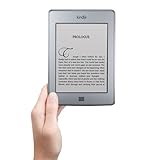
Kindle Touch 3G, Free 3G + Wi-Fi, 6" E Ink Display - includes Special Offers & Sponsored Screensavers

Kindle Touch 3G, Free 3G + Wi-Fi, 6

IMAGE OF Kindle Touch 3G, Free 3G + Wi-Fi, 6
Kindle Touch 3G, Free 3G + Wi-Fi, 6


HOT DISCOUNT!!!
Kindle Touch 3G, Free 3G + Wi-Fi, 6" E Ink Display - includes Special Offers & Sponsored Screensavers
Fire Screens for BEST SHOPPING PRICES & REVIEW FOR DEALS BLACK FRIDAY 2011 !!!...


Top-of-the-line e-reader, with touch and free 3G wireless - Free 3G wireless, no annual contracts or monthly fees - Download books anywhere, no hunting for Wi-Fi hotspots - 3G wireless works globally - Most-advanced E Ink display, now with multi-touch - New sleek design - 8% lighter, 11% smaller, holds 3,000 books - Text-to-speech, plus audio books and mp3s - Massive book selection, over 800,000 titles are .99 or less - New - Borrow Kindle books from your public library.../ Kindle Touch 3G, Free 3G + Wi-Fi, 6" E Ink Display - includes Special Offers & Sponsored Screensavers / Fire Screens...Read more

************************************

BEST DEALS Kindle Touch 3G, Free 3G + Wi-Fi, 6" E Ink Display - includes Special Offers & Sponsored Screensavers
Fire Screens for 2011 BLACK FRIDAY SALES...


Product Brand :
Amazon | Model : D01200

IMAGE OF Kindle Touch 3G, Free 3G + Wi-Fi, 6

Kindle Touch 3G, Free 3G + Wi-Fi, 6
Product Rating :
Popular Rating :
Reviews Rating :
Customer Rating :

Available : In Stock
Kindle Touch 3G, Free 3G + Wi-Fi, 6

See All Of Product Brand : Amazon
Kindle Touch 3G, Free 3G + Wi-Fi, 6

Kindle Touch 3G, Free 3G + Wi-Fi, 6" E Ink Display - includes Special Offers & Sponsored Screensavers
Fire Screens
Customers Who Bought This Item Also Bought......


Kindle Touch 3G, Free 3G + Wi-Fi, 6

Kindle Touch 3G, Free 3G + Wi-Fi, 6" E Ink Display - includes Special Offers & Sponsored Screensavers
Fire Screens for BLACK FRIDAY 2011 : LOWEST PRICES & VERY FAST & FREE SHIPPING !!!


Kindle Touch 3G, Free 3G + Wi-Fi, 6" E Ink Display - includes Special Offers & Sponsored Screensavers
Fire Screens

Special for Best Deals Shopping for BLACK FRIDAY 2011


Customer Review :

First Kindle: Chose Touch over the Keyboard : Kindle Touch 3G, Free 3G + Wi-Fi, 6" E Ink Display - includes Special Offers & Sponsored Screensavers


I've had my Touch for almost a day now, and it's pretty awesome. I'm not a big reviewer, but I figured several people may be in a similar position as I was yesterday, so here we go...

I'm definitely an avid reader. Actually, as I type this, I have roughly 1000 books sitting on a wall of shelves behind me. E-readers have always intrigued me, but I've never felt like they were worth $199 or more; however, when the Kindle Fire was announced, I thought they had released the Kindle for me.

I watched video reviews, "hands-on" videos, read numerous reviews, etc. I was pretty sure that I wanted a Fire, but as I thought about it, I wasn't convinced that the Fire really provided me with access to anything that I couldn't do on my phone (HTC Inspire 4g). Other than a bigger screen, the Fire was actually pretty limited (for my purposes). I mean, I would only be able to use the browser and watch videos in areas with WiFi (i.e. at home, at work, or at retail location with WiFi). If I'm at home, I'll probably just watch videos on my tv and access the internet on my desktop or my laptop. At work I'm too busy for the Fire to get much use. And other than the occasional trip to Starbucks (and by occasional, I mean like once a month), I don't really make use of hot spots.

SOO...I decided the Fire didn't really justify the extra money for something I already have access to through my phone, laptop/desktop, or tv. This caused me to run the gambit of reviews for the Kindle Touch and the Kindle Keyboard. Best Buy was advertising the Kindle Keyboard 3G (with ads) for $89, so price wasn't really a distinguishing feature for me. My thoughts:

Touch:
- Kindle Touch is full-on touchscreen, and based on video reviews, it looked a little laggy
- Kindle Touch will probably drive me nuts with fingerprints/smudges
- Kindle Touch seems like a digress in touchscreen technology (like using a late 90s ATM)
- Kindle Touch doesn't have physical buttons for page turns, which seemed like it would be a negative
- The $99 doesn't have 3G, so I'd be limited to Wifi
- Highlighting and note-taking seems like it would be difficult on a laggy screen
- Looking up words will probably be easier

Keyboard:
- Kindle Keyboard has a decent keyboard and physical page turn buttons
- Kindle Keyboard has strong support through reviews (not many people don't love it)
- The Best Buy sale lets you have free 3G for cheap
- Fingerprints/smudges won't be an issue

After considering all of this, I went to Best Buy absolutely intending on buying a Kindle Keyboard. I got there, and of course, they had demo models of both. I figured, "What the heck...might as well make sure I like the Keyboard more."

I played with both for over an hour. I read books, made notes, made highlights, looked up words, went to the menu, back to a book, back to the menu. I went forward through a few pages. I went back through the same pages. I did everything I thought I would normally do while reading. My decision?
- The Kindle Touch touchscreen does have a slight delay, but it's definitely not a late 90s ATM. It's a delay, but just long enough for you to demonstrate a slight bit of patience (and to be honest, if you're an avid reader, patience is probably a virtue you can easily put into practice. There's a reason you're reading a book and not watching a movie.)
- Highlighting/note-taking is actually much more convenient on the Touch. Just press where you want to start, wait a second, drag to where you want to stop, and click highlight. Much easier (in my opinion) than moving the cursor down to where you want to start with the d-pad, clicking enter, dragging the cursor to where you want to stop, and then clicking enter again.
- Note-taking is slightly more convenient on the Keyboard simply because you can just start typing (if you're not overly concerned about the exact line the note is attached to). If you are concerned about the location of your notes, then using the d-pad to move the cursor was not only inconvenient but also uncomfortable (I have pretty big hands, so doing all of this one-handed required me to contort my thumb in a very odd way to use the d-pad).
- I didn't really like the keyboard on the Keyboard. The buttons are very heavy, so you have to give them a decent push to register a keystroke. Also, the qwerty layout is not a true qwerty layout, so beware of that. I had to be very conscious of the keys I was pushing otherwise I ended up with notes like: "The Kimdle keynoard is very mice." VERY ANNOYING (especially if you take a ton of notes...which I do).
- The page turn button on the Keyboard was very annoying. The page turn button on the demo model gave two very audible clicks when I pressed it. The clicks were distracting, taking me "out" of the book after every page.
- After thinking about it, the free 3G wasn't a huge benefit. I could only think of a few scenarios where it would have been useful: 1) I'm somewhere with no WiFi and I've read everything on my Kindle and I'm absolutely going to die unless I read a book right then (which I could easily do on my phone, which DOES have 3G...not free, but it'd resolve this scenario). 2) I'm reading somewhere and I get an urge to share something via Twitter/Facebook. No 3G, no sharey sharey. Yet, again, if I ABSOLUTELY felt the urge to share something, I have a phone in my pocket that is fully capable of accomplishing this task.

Overall, I was almost dumbfounded that I preferred the Touch over the Keyboard. I actually delayed my purchase and took my wife to the store and had her play with both to see if I was just crazy. She agreed: the keyboard on the Keyboard is poorly designed, the clicking is annoying, and the screen on the Touch is actually pretty incredible. (Edit: The clicking page-turn buttons on the Keyboard may be confined to the demo unit I used. I played with another Keyboard at another Best Buy and there was no clicking. Regardless, the tapping/swiping on the Touch is a much more natural movement for me.)

So far, I love my Touch. It will definitely be more convenient than carrying my normal 3-4 books around in my backpack.

For those on the fence, I hope this helped.


CHECK BEST DEALS COMPARE PRICES & SPECIAL DISCOUNT ABOUT Kindle Touch 3G, Free 3G + Wi-Fi, 6" E Ink Display - includes Special Offers & Sponsored Screensavers
Fire Screens SUPER SAVING FOR BEST BUY SHOPPING...CHECK HERE NOW~~!!!!!


Low Prices-File Cabinet Desks Best Office

woensdag 30 november 2011

New Uniden Scanner Built-In Am Fm Radio 30 Presets Snooze Weather Scan Backlit Display Screen

New Uniden Scanner Built-In Am Fm Radio 30 Presets Snooze Weather Scan Backlit Display Screen

IMAGE OF New Uniden Scanner Built-In Am Fm Radio 30 Presets Snooze Weather Scan Backlit Display Screen
New Uniden Scanner Built-In Am Fm Radio 30 Presets Snooze Weather Scan Backlit Display Screen


BEST DEALS TODAY!!!
New Uniden Scanner Built-In Am Fm Radio 30 Presets Snooze Weather Scan Backlit Display Screen
Fire Screens for BUY & BEST DISCOUNT FOR BLACK FRIDAY DEALS 2011 !!!...


Box dimensions: 8.75 inch L x 8.5 inch W x 3.5 inch H. Black..../ New Uniden Scanner Built-In Am Fm Radio 30 Presets Snooze Weather Scan Backlit Display Screen / Fire Screens...Read more

************************************

  • Uniden scanner. Built-in AM/FM radio.
  • 30 Radio presets. Alarm clock. Snooze.
  • Wake to radio or buzzer. Weather scan.
  • 100 Channels. Service search (police, fire, EMS, air, ham, and marine).
  • Audio TV channels 2-13. Backlit display screen.
.../ New Uniden Scanner Built-In Am Fm Radio 30 Presets Snooze Weather Scan Backlit Display Screen / Fire Screens...Read more


++++++++++++++++++++++++++++

BEST DISCOUNT New Uniden Scanner Built-In Am Fm Radio 30 Presets Snooze Weather Scan Backlit Display Screen
Fire Screens for BEST DEALS PRICES & REVIEW : BLACK FRIDAY 2011 !!!...


Product Brand :
Uniden
IMAGE OF New Uniden Scanner Built-In Am Fm Radio 30 Presets Snooze Weather Scan Backlit Display Screen

New Uniden Scanner Built-In Am Fm Radio 30 Presets Snooze Weather Scan Backlit Display Screen
Product Rating :
Popular Rating :
Reviews Rating :
Customer Rating :

Available : In Stock
New Uniden Scanner Built-In Am Fm Radio 30 Presets Snooze Weather Scan Backlit Display Screen

See All Of Product Brand : Uniden
New Uniden Scanner Built-In Am Fm Radio 30 Presets Snooze Weather Scan Backlit Display Screen


New Uniden Scanner Built-In Am Fm Radio 30 Presets Snooze Weather Scan Backlit Display Screen
Fire Screens for BLACK FRIDAY DEALS 2011 : OFFICIAL BEST DISCOUNT!!!


New Uniden Scanner Built-In Am Fm Radio 30 Presets Snooze Weather Scan Backlit Display Screen
Fire Screens

Special for BLACK FRIDAY best price products


CHECK COMPARE PRICES for BEST BUY and GET SPECIAL DISCOUNT!!! ABOUT New Uniden Scanner Built-In Am Fm Radio 30 Presets Snooze Weather Scan Backlit Display Screen
Fire Screens CHEAPER THAN ANYWHERE!!! ...CHECK HERE NOW~~!!!!!


AG1- Buy-Best-Evening Shirt Shop

dinsdag 29 november 2011

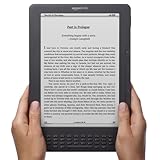
Kindle DX, Free 3G, 9.7" E Ink Display, 3G Works Globally

Kindle DX, Free 3G, 9.7

IMAGE OF Kindle DX, Free 3G, 9.7
Kindle DX, Free 3G, 9.7


SHOCK PRICES!!!
Kindle DX, Free 3G, 9.7" E Ink Display, 3G Works Globally
Fire Screens for LOW PRICES & COMPARE FOR BEST BUY ORDER BLACK FRIDAY DEALS 2011 CHECK NOW!!!...


Say Hello to the Newest Kindle DX All New, High Contrast E-Ink Screen: Our graphite Kindle DX uses our all new, improved electronic ink display, with 50% better contrast for the clearest text and sharpest images Beautiful Large Display: The 9.7" diagonal E-ink screen is ideal for a broad range of reading material, including graphic-rich books, PDFs, newspapers, magazines, and blogs Read in Sunlight with No Glare: Unlike backlit computer or LCD screens, Kindle DX's display looks and reads like real paper, with no glare. Read as easily in bright sunlight as in your living room Slim: Just over 1/3 of an inch, as thin as most magazines Books In Under 60 Seconds: Get books delivered wirelessly in less than 60 seconds; no PC required Free 3G Wireless: 3G wireless lets you download books right from your Kindle DX; no monthly fees, no annual contracts. Enjoy 3G wireless coverage at home or abroad in over 100 countries. Long Battery Life: Read for up to 1 week on a single charge with wireless on. Turn wireless off and read for up to two weeks. Carry Your Library: Holds up to 3,500 books, periodicals, and documents Built-In PDF Reader: Carry and read all of your personal and professional documents on the go. Now with Zoom capability to easily view small print and detailed tables or graphics Auto-Rotating Screen: Display auto-rotates from portrait to landscape as you turn the device so you can view full-width maps, graphs, tables, and Web pages Large Selection: Over 600,000 books and the largest selection of the most popular books people want to read plus U.S. and international newspapers, magazines, and blogs. Over 1.8 million free, out-of-copyright, pre-1923 books are available to read on Kindle. For non-U.S. customers, content availability and pricing will vary. Low Book Prices and Free Book Samples: New York Times Best Sellers and New Releases from .99. Download and read first chapters for free before you decide to buy.../ Kindle DX, Free 3G, 9.7" E Ink Display, 3G Works Globally / Fire Screens...Read more

************************************

Accessory for..
Kindle DX, Free 3G, 9.7" E Ink Display, 3G Works Globally
Fire Screens
BLACK FRIDAY best deals price products


CHECK LOWEST PRICES Kindle DX, Free 3G, 9.7" E Ink Display, 3G Works Globally
Fire Screens for BEST DEALS PRICES & REVIEW : BLACK FRIDAY 2011 !!!...


Product Brand :
Amazon | Model : D00801

IMAGE OF Kindle DX, Free 3G, 9.7

Kindle DX, Free 3G, 9.7
Product Rating :
Popular Rating :
Reviews Rating :
Customer Rating :

Available : In Stock
Kindle DX, Free 3G, 9.7

See All Of Product Brand : Amazon
Kindle DX, Free 3G, 9.7

Kindle DX, Free 3G, 9.7" E Ink Display, 3G Works Globally
Fire Screens
More Choices! More Variety! Selected Just for You......


Kindle DX, Free 3G, 9.7

Kindle DX, Free 3G, 9.7" E Ink Display, 3G Works Globally
Fire Screens for CHEAPEST HOT PRODUCT ONLINE : BLACK FRIDAY DEALS 2011 !!!


Kindle DX, Free 3G, 9.7" E Ink Display, 3G Works Globally
Fire Screens

Special for Best deals black friday 2011


Customer Review :

separate and good : Kindle DX, Free 3G, 9.7" E Ink Display, 3G Works Globally


I don't generally write reviews, but I hope this one will be beneficial for other scientists who are contemplating a Kindle Dx. My use for the Dx will be separate from most of the users who have posted reviews. I enounce a library of nearly 4,000 Pdf manuscripts/grants/documents. I probably have minimal use for eBooks from the Kindle Store. The amount of Pdfs is permanently growing as new investigate manuscripts are published (and downloaded to my computer). My principle reasons for purchasing a Dx were to:

1) Carry the electronic equivalent of binders of Pdfs with me when traveling. An iPod for Pdfs. This is a metaphor that works for the way that I view an eReader, though it probably doesn't apply equally well to everyone.

2) Have an easier way to read papers when traveling. Easier means not worrying about battery life, unfurling a laptop in a cramped airplane, or carrying a bag full of papers.

3) sacrifice eye strain from staring at a computer screen by interesting serious reading from the laptop screen to the Dx.

From my first use, I think the Dx is a noteworthy success. Text in manuscripts looks great. Figures from manuscripts do not render well in portrait mode if there is a lot of detail; switching to scenery mode helps substantially. Zoom into personel images/sections of Pdfs would be welcome.

Navigating large numbers of Pdfs from the home screen is currently clumsy. Lack of directory retain to institute large numbers of files is an issue. I've read about users using complex naming conventions to use 'search' as an indirect way to find files. Renaming hundreds (or thousands) of files to make them easier to find is not a great solution. I theorize this will improve in time, either straight through a firmware modernize to this gadget or in the next generation of hardware.

I'm also hoping against hope that one or more of the reference employer software providers (Bookends, I'm looking at you) realizes that their software is to the Kindle as iTunes is to the iPod. If I could manage the article of my Kindle straight through a reference manager, I would be thrilled. The idea of downloading a paper and syncing it in one step to the Kindle to take with me is absolutely appealing. This wouldn't completely overcome the problem with a flat file hierarchy once the papers are on the Kindle, but it would help institute getting article onto and off the device.

The biggest surprise to me is the functionality of the web browser. Yes, it is pokey to render pages. No, I wouldn't want to use it to web surf. But if I had a destination web site that is heavy on content, I think reading on the Kindle will be vastly first-rate to reading on the iPhone or other mobile/tablet devices. I do doubt, however, that wireless data entrance will remain free on the Kindle long-term. I can't fantasize how Amazon will be able to continue subsidizing the data costs. I think that this is a feature that should be enjoyed while it lasts, but I wouldn't be surprised if it goes away at some point in the future.

Though it adds another $50 to the cost, I think the matching case is attractive, functional, and creates an easy-to-carry package.

So is it worth the high cost? I don't think I (or anyone) can absolutely rate that until determining how well it integrates into daily work habits. I theorize that I will get heavy use out of it, but then I read a ton of Pdfs. I do hope that the Pdf retain for dictionary lookup, highlighting, and commentary improves, but I base my present on what the stock does - not what I would like it to do.

Hope this helps other heavy Pdf users!


CHECK COMPARE PRICES for BEST BUY and GET SPECIAL DISCOUNT!!! ABOUT Kindle DX, Free 3G, 9.7" E Ink Display, 3G Works Globally
Fire Screens SAVE SHOP-new & used...CHECK HERE NOW~~!!!!!


AG1- Buy-find auto part-best automotive 4 Buy Best-Everlast-Sport Buy-fisher price toy-Kid Toy Shop